

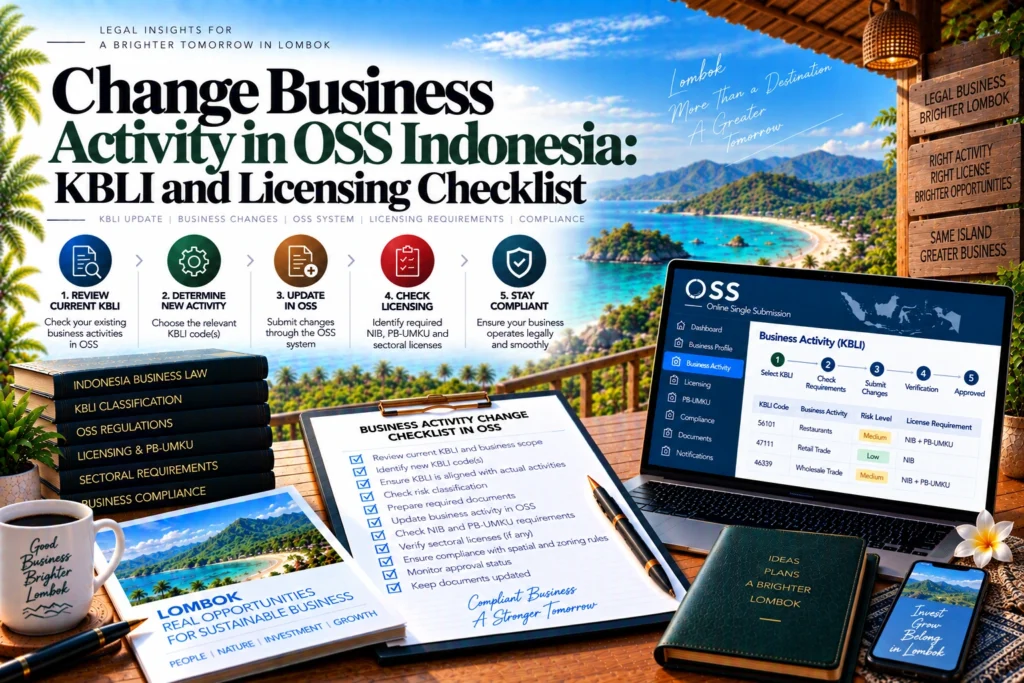
Changing what an Indonesian company actually does is different from correcting its address, investment value or other OSS data. If an existing KBLI is being replaced by a materially different activity, the owner should first identify the status of the old activity’s Business Licensing and then use the appropriate OSS cancellation or revocation route before treating the replacement activity as licensed.
The current overarching framework is Government Regulation No. 28 of 2025, which has been in force since 5 June 2025 and governs Indonesia’s current risk-based Business Licensing system.
The current implementing regulation is Minister of Investment and Hilirisasi/BKPM Regulation No. 5 of 2025, which the official legal database lists as in force from 2 October 2025.
Change Business Activity in OSS Indonesia: What Actually Changes?
For change business activity in OSS Indonesia, start by defining the transaction correctly. There are at least three different situations that can look like a KBLI change but require different analysis.
The first is a genuine replacement: the business will stop or materially change an existing activity and operate a different one. The second is an expansion: the old activity remains and another KBLI is added. The third is a classification issue caused by the transition from KBLI 2020 to KBLI 2025 while the underlying business may remain substantially the same.
Under Article 230, ordinary business-activity data changes can cover the business name, planned investment value, financing source, planned workforce, products and estimated start of operational or commercial activity.
A KBLI replacement should not be confused with those ordinary data updates.
You Cannot Change the KBLI Through the Normal Business Data Change Menu
Some screenshots in the published OSS guide still refer to the earlier PP No. 5 of 2021 framework. Confirm the available workflow in the live OSS project against PP No. 28 of 2025 and Regulation No. 5 of 2025 before cancelling or withdrawing an existing activity.
The current OSS Business Data Change guide states that the Business Data Change menu cannot be used to change the KBLI.
Instead, the OSS route depends on where the existing activity is in its licensing lifecycle. This is important because replacing an activity before its principal licensing is final is not handled in the same way as withdrawing an activity whose licensing has already been issued or verified.
Before Standard Certificate Verification or Izin Issuance
For a medium-high-risk activity whose Standard Certificate is still unverified, or a high-risk activity whose Izin has not yet been issued, the same OSS guide directs a KBLI change through Pembatalan (Permohonan), or Cancellation (Application).
The practical implication is that the owner should not try to edit the old KBLI as though it were merely a text field. The unfinished licensing application has to be handled through the cancellation workflow applicable to that status.
Before cancelling, identify what will replace the old activity. Check the new KBLI, project location and licensing requirements so the business does not remove one application before understanding what the replacement pathway requires.
After Standard Certificate Verification or Izin Issuance
Where the medium-high-risk Standard Certificate has already been verified, or the high-risk Izin has already been issued, the published OSS guide directs the KBLI change through Pencabutan (Non Likuidasi), or Revocation (Non-Liquidation).
The guide also states that deleting a KBLI is handled through the OSS Pencabutan, or Revocation, menu.
This means an already-issued licensing position should not simply disappear through an informal data edit. The old activity and its licensing status need to be handled through the relevant withdrawal process before the company relies on the new activity as its replacement operation.
The published OSS guide specifically describes these status-based routes for medium-high- and high-risk activities. For another risk category, use the current OSS workflow presented for that activity rather than assuming that the same status rule applies identically.
Changing an Activity Is Different From Adding Another KBLI
Do not cancel an activity if the business actually intends to continue it.
If the intention is to keep the old activity and add another one instead, the current OSS Business Activity Management page allows another activity to be added at an existing location and instructs users to add a new location first when the new activity will operate elsewhere.
This difference is fundamental. Replacing an existing restaurant activity with warehousing, for example, is not the same licensing decision as keeping the restaurant and adding a separate warehouse activity.
An expansion should therefore be analysed activity by activity. The old KBLI remains part of the company’s operating scope, while the additional KBLI needs its own location, Basic Requirements, risk classification and licensing review.
Check Whether KBLI 2025 Changed the Classification First
A different code does not always mean that the company has changed what it does.
Before treating a different code as a change of business activity, use the current OSS KBLI conversion guide, which classifies KBLI 2020-to-2025 mappings as unchanged, changed, split, merged or reorganized.
OSS expressly notes that the conversion information is a reference rather than a legal decision and advises users to check the description and scope of each current KBLI before registering business legality.
This distinction can prevent unnecessary restructuring. If a legacy code was simply converted into a new classification while the business operation remains the same, the issue is different from a company that has genuinely stopped one business model and started another.
Read the current KBLI description and scope. Compare it with the products, services and revenue-generating activity that the company actually performs.
Review the Replacement Activity Before Removing the Old One
A replacement KBLI should be treated as a new licensing analysis, not merely the destination of an administrative change.
Start with the activity itself. Confirm that the selected KBLI accurately describes the new operation and that the company’s corporate documents are consistent with the planned scope.
Then determine where the replacement activity will operate. A change from consulting to accommodation, warehousing, industry, food service or another site-dependent activity can create different location and technical questions.
Recheck the Location and Basic Requirements
That means a replacement activity may require a fresh check of spatial conformity, environmental approval, building requirements or another Basic Requirement relevant to the project rather than simply inheriting the old activity’s location analysis.
Where spatial conformity is a material issue, Lombok Legal ID’s Spatial Conformity OSS Indonesia guide addresses the separate location-readiness question.
Do not assume that using the same land or building means the replacement activity has exactly the same licensing position. The relevant question is whether the new activity is compatible with the project location and current requirements.
Recheck Risk-Based Business Licensing
The replacement KBLI can also change the principal licensing output.
A business moving from one activity to another may move into a different risk level or sector workflow. The new activity should therefore be reviewed from the beginning: classification, Basic Requirements, principal Business Licensing and any PB UMKU or sector-specific permissions.
If the replacement activity is high risk, Lombok Legal ID’s High Risk OSS Licensing Indonesia guide provides a dedicated review of the NIB and Izin pathway.
The old license should not be used as evidence that the replacement activity has already passed those checks. Business Licensing follows the activity being conducted.
Business Activity Change Checklist
First, confirm whether the business is replacing an activity, adding another activity or dealing only with a KBLI 2020-to-2025 conversion.
Second, identify the old activity’s current OSS status. Check the KBLI, location, risk level and whether its Standard Certificate or Izin is still pending, already verified or already issued.
Third, determine the correct route for the old activity. Do not attempt a KBLI replacement through the normal Business Data Change fields when the published OSS guide directs the change through cancellation or revocation.
Fourth, map the replacement activity before withdrawing the old one. Confirm the current KBLI description and compare it with the real products or services the business will provide.
Fifth, check whether the replacement activity uses the same location. If the project location or physical use changes, recheck the applicable Basic Requirements.
Sixth, determine the new risk-based Business Licensing output and any supporting PB UMKU or sector requirements. A replacement KBLI can produce a different licensing path from the activity being withdrawn.
Seventh, compare the planned new activity with the company’s corporate scope and legal documents. Where the business purpose itself materially changes, obtain appropriate corporate or notarial review instead of assuming that an OSS workflow alone resolves the legal-entity side.
Finally, verify the resulting OSS record after the cancellation, revocation or new application process. The activity shown in the system, location, licensing status and actual operation should all describe the same business.
Conclusion
Changing a business activity in OSS is not merely editing one KBLI number into another. The published OSS guide distinguishes KBLI changes from ordinary business-data changes and routes medium-high- and high-risk changes differently depending on whether the existing licensing has already been verified or issued.
Before changing the activity, first determine whether the company is truly replacing the old business, adding another activity or only dealing with a KBLI classification conversion. Then map the replacement activity’s location, Basic Requirements, risk level and licensing requirements before relying on it for operations.
Map the Replacement Activity Before Changing the OSS Record
If your company in Lombok is replacing, removing or materially changing a business activity, Lombok Legal ID can be consulted to review the existing KBLI, corporate scope, OSS licensing status and replacement activity before the old licensing record is withdrawn.
Where the replacement business also requires separate certification support, the Business Certification service can be reviewed as an additional activity-specific compliance step.
For help coordinating the documents and next steps discussed above, review our business setup in Lombok.
Read More: Company Setup Guide in Lombok: Entity Choice, OSS and Launch Planning
FAQ Change Business Activity
Can I change a KBLI through the normal OSS Business Data Change menu?
The current OSS Business Data Change guide states that the menu cannot be used for changing a KBLI. The applicable cancellation or revocation route depends on the status of the existing licensing.
What if the medium-high-risk Standard Certificate is not yet verified?
The published OSS guide directs a KBLI change through Pembatalan (Permohonan), or Cancellation (Application), when the medium-high-risk Standard Certificate has not yet been verified.
What if the Standard Certificate is already verified?
For the medium-high-risk situation described in the published OSS guide, the KBLI change is handled through Pencabutan (Non Likuidasi), or Revocation (Non-Liquidation), after the Standard Certificate has been verified.
Should I change a KBLI if I want to keep the old business and add another activity?
Not necessarily. If the old activity will continue, OSS provides a separate workflow for adding another business activity rather than replacing the existing one.
Does a KBLI 2025 code change always mean the company changed business activity?
No. OSS identifies several conversion patterns from KBLI 2020 to KBLI 2025, including unchanged, changed, split, merged and reorganized codes. The current descriptions and scopes should be compared before concluding that the underlying business changed.
Can the replacement activity use the old activity’s licenses?
It should not be assumed to do so. The replacement activity should be checked for its own location, Basic Requirements, risk-based Business Licensing and applicable supporting permissions.
References & Sources
- Government Regulation No. 28 of 2025 — Risk-Based Business Licensing — peraturan.bpk.go.id
- Minister of Investment/BKPM Regulation No. 5 of 2025 — Official Legal Record — peraturan.bpk.go.id
- Minister of Investment/BKPM Regulation No. 5 of 2025 — Official Regulation PDF — jdih-storage.bkpm.go.id
- OSS Guide — Business Licensing Changes: Business Data — s3.oss.go.id
- OSS Business Activity Management — beranda.oss.go.id
- OSS Guide to KBLI 2020–2025 Conversion — oss.go.id